How to Use Perplexity Deep Research to Auto-Generate Decks
Turn Perplexity Deep Research into slides and dashboards. Covers Labs, Computer, and the hybrid workflow that produces board-ready decks in 30 minutes.

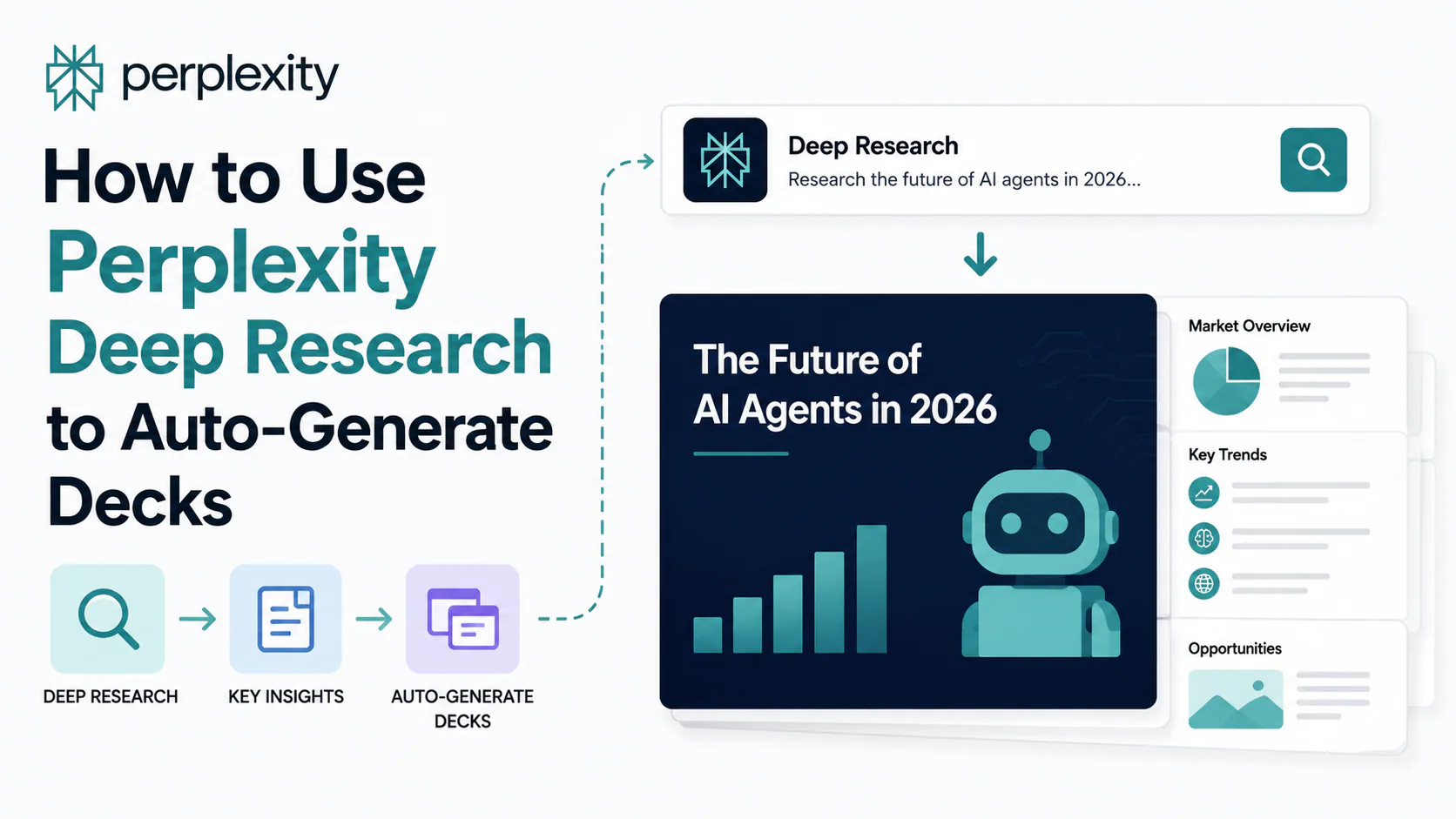
You've run a Perplexity Deep Research query and gotten back a cited, multi-page report. Now you need a deck for Monday's meeting. The natural next step is to copy the text into PowerPoint and start reformatting slides, but that's exactly where people lose the 30 minutes the research just saved them.
Perplexity has spent 2025 and 2026 building a stack that takes research all the way to a finished deliverable. Whether that means an interactive dashboard, a structured slide deck inside PowerPoint, or a cited markdown export ready for 2Slides, the path depends on which Perplexity product you're actually using. This guide maps the full workflow so you don't mistake one for another.
TL;DR: Deep Research alone outputs text and citations, not slides. The actual deck/dashboard generation lives in Perplexity Labs (included with Pro and Max) and Perplexity Computer (available to Pro and Max subscribers as of May 2026). For board-ready output, the fastest workflow is Deep Research + 2Slides. For interactive dashboards and Excel-sourced decks, Computer is the stronger native option.
What Perplexity Deep Research actually outputs (and what it doesn't)
This is the single most important thing to understand before building any workflow. Perplexity Deep Research is a research mode, not a presentation engine. When you run a Deep Research query, you get a long, cited report: structured text, source links, and sometimes tables. You do not get a .pptx file.
The deck and dashboard generation capability lives in two distinct products that sit alongside Deep Research:
- Perplexity Labs: a project-based workspace (accessible from the left sidebar in Pro and Max) that generates dashboards, spreadsheets, and simple web apps from natural language prompts. It has been available since mid-2025 and outputs interactive HTML/JS artifacts you can view in-browser.
- Perplexity Computer: a cloud-based AI agent launched February 25, 2026, that coordinates up to 20 AI models (including Claude Opus 4.7, GPT-5.5, and specialized sub-agents) to research, synthesize, generate code in a sandbox, and produce a finished deliverable in one workflow. Computer is available to Pro ($20/month) and Max ($200/month) subscribers.
Your Prompt
     │
     ├── Perplexity Ask / Pro Search
     │      → Cited answer (text only)
     │
     ├── Deep Research mode
     │      → Long cited report (text + citations)
     │      → As of early June 2026: can hand off to Labs/Computer
     │
     ├── Perplexity Labs
     │      → Dashboard, spreadsheet, simple web app (in-browser)
     │
     └── Perplexity Computer
            → Full deliverable: slide deck, dashboard,
              report, PDF, spreadsheet, in one workflow
            → Available inside Microsoft 365 as of May 29, 2026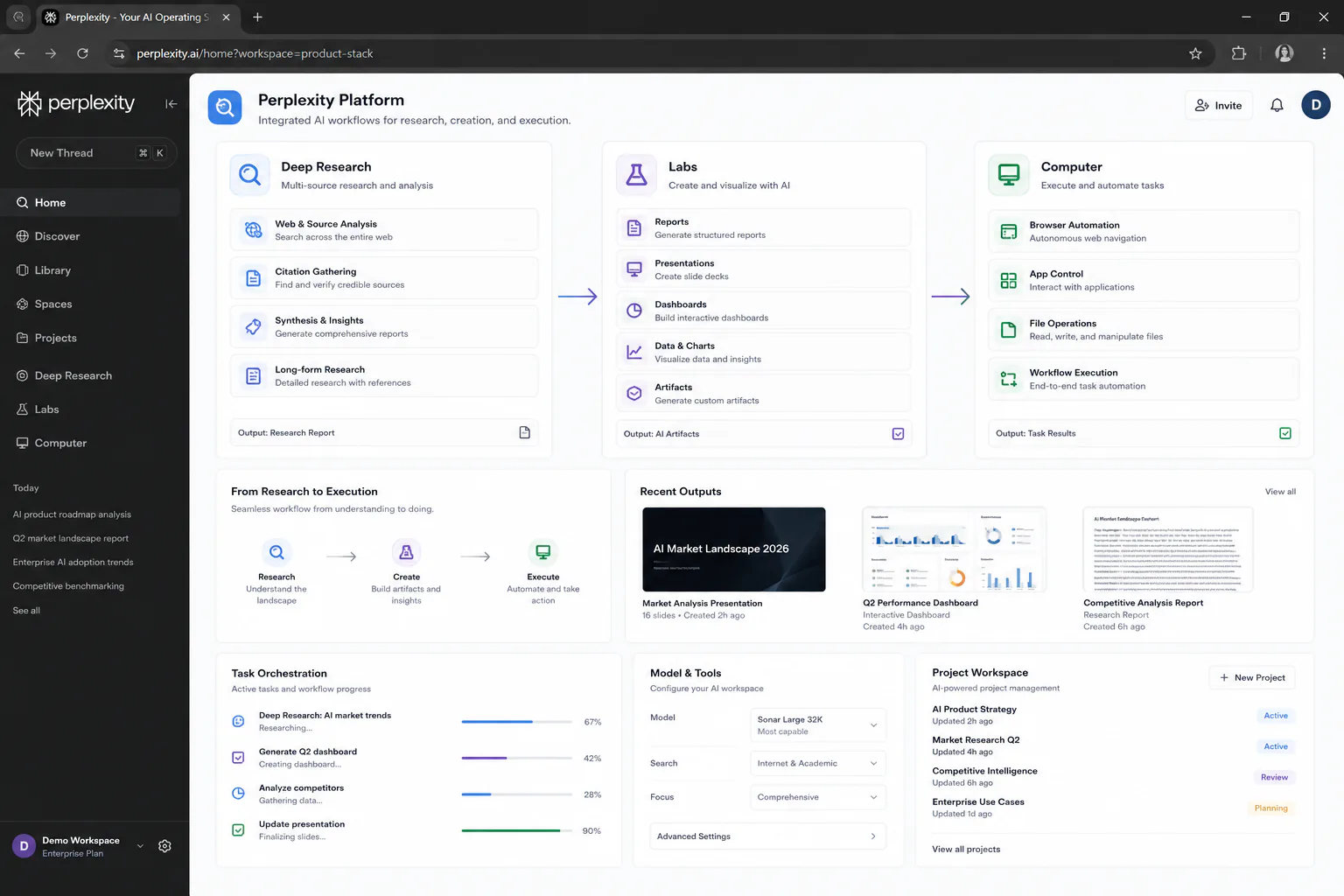
As of early June 2026, Deep Research and Pro Search gained native support for creating presentations, spreadsheets, and dashboards directly within the product. But for most users, the practical question is still which workflow path to choose for their specific deliverable.
The three workflows: which one fits your situation
Workflow 1: Deep Research + third-party slide generator (fastest for board-ready decks)
This is the workflow most expert reviewers were still recommending in mid-2026 for polished, visually designed output. The total time from prompt to finished deck runs about 30 minutes for a 12-slide presentation:
Write your deck narrative first
Before opening Perplexity, outline your story structure: problem, solution, market size, traction, ask (or whatever structure fits your presentation). Deep Research is a researcher, not a storyteller. If you let the model drive the outline, you get a report, not a pitch.
Open a Perplexity Space and run Deep Research
Create a new Space for your project (Pro or Max required). Use Deep Research mode. Frame your prompt around each section of your narrative rather than asking for a general overview.
Deep Research prompt for a market analysis deckbashResearch the AI agent market for a 12-slide investor deck. Structure your findings around: 1. Market size (TAM/SAM/SOM, current year and 5-year projection) 2. Key growth drivers (cite specific statistics with dates) 3. Competitive landscape (top 5 players, positioning, funding) 4. Major enterprise use cases with verified ROI examples 5. Risks and open questions Cite every statistic. Flag any claim older than 6 months.Deep Research typically takes 5 to 30 minutes to complete, depending on query complexity. Do not use this for same-day deadlines.
Verify your citations
Open the three or four most important source links. Confirm the statistics are current and that the cited context matches what Perplexity included. Fix or drop any claim you can't verify. This step takes about 10 minutes and is the main reason Perplexity produces more defensible decks than general-purpose chat models.
Export to a slide generator
Copy your verified research into 2Slides or Sharayeh, which convert cited Perplexity markdown into structured slide decks. 2Slides produces PPTX output with formatting you can open and edit directly in PowerPoint. Sharayeh requires no sign-up and handles quick exports. For teams generating decks repeatedly, 2Slides also offers an API that chains directly to Perplexity's Sonar API for automation.
Workflow 2: Perplexity Computer for data-driven decks and dashboards (most powerful native path)
Computer is the right tool when your deck needs to come from data you already have (a CSV, a workbook) or when you want a fully interactive, real-time dashboard rather than a static slide.
Credit cost warning: Computer tasks are billed on a credit system layered on top of your subscription. Max subscribers get 10,000 credits per month; Pro subscribers get a smaller pool. Perplexity does not publish a per-task credit cost table. Before your first deck-generation run, lower the default spending cap in Computer settings to limit financial exposure if a task spirals.
To generate a deck from a CSV or data file:
Here is a CSV of our Q1 2026 sales numbers by region and product line.

Analyze trends, identify the top three changes versus Q4 2025, build charts for each insight, write an executive summary, and format everything as a 10-slide deck with one key finding per slide. Include the underlying data source reference on each chart.
Computer's sandboxed execution layer processes the CSV, generates Python-rendered visualizations, and assembles the deck output in one workflow, without you manually moving data between a spreadsheet, a charting tool, and PowerPoint.
To generate an interactive dashboard:
In a documented hands-on test by DataCamp, prompting Perplexity Labs to build an interactive US national debt dashboard produced a fully functional, real-time result with historical trends, projections, and multiple visualization pages (including the underlying Python code for review). Labs is the right entry point for dashboard generation when you want the rendered output to live in-browser; Computer takes over when the dashboard needs live data connections to business tools.
Build an interactive dashboard tracking US commercial real estate vacancy rates.
Include:
- Current national average and 5-year trend chart
- Breakdown by office, retail, and industrial segments
- Top 10 metro markets, sortable table
- Projection curve to 2028 based on current Fed rate outlook

Source all data. Show the underlying Python code.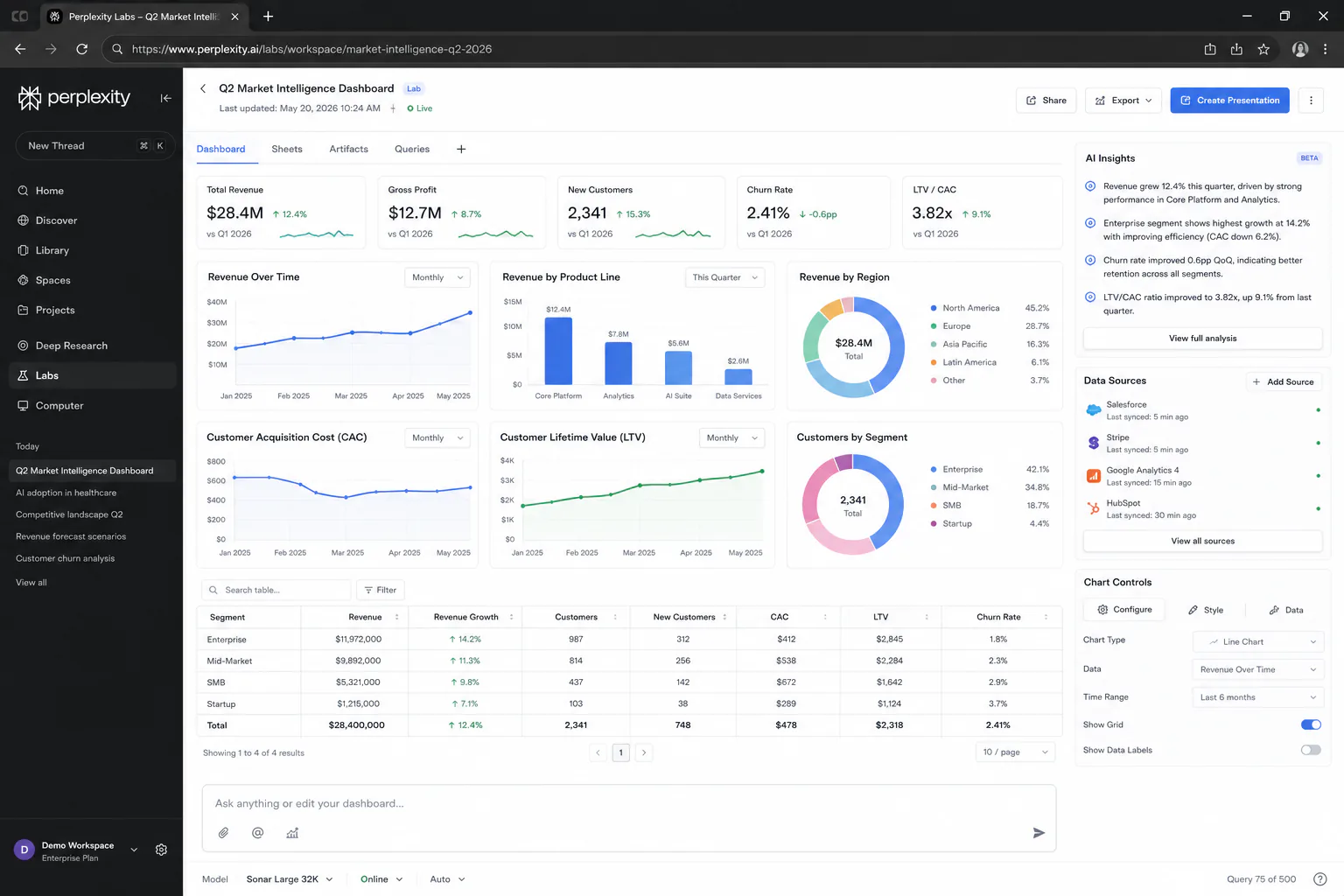
Workflow 3: Perplexity inside Microsoft 365 (best for PowerPoint-native teams)
As of May 29, 2026, Computer is available directly inside Word, Excel, PowerPoint, Outlook, and Teams. For organizations already standardized on PowerPoint, this is the cleanest path: you build the deck inside the actual destination file rather than generating externally and reformatting.
The integration works on the context already in your Microsoft 365 files. Practical patterns that work now:
- In Excel: prompt Computer to analyze a workbook, identify revenue changes, and summarize key drivers, then carry that output directly into a linked PowerPoint deck
- In PowerPoint: prompt Computer to research a topic and populate slide content with citations, using your existing template and branding
This path requires a Microsoft 365 subscription and a Perplexity Computer-tier subscription (Pro or Max). It is not available on the free Perplexity tier.
Prompt patterns that consistently produce better output
The quality gap between a useful Perplexity research output and a wall of vague text usually comes down to how you structured the prompt. These patterns hold across all three workflows:
Specify your narrative structure upfront. Perplexity is optimized to be comprehensive. If you don't give it a shape, it fills every shape equally. Tell it your deck structure before asking it to research.
Force recency. Default searches sometimes return 2022-2023 sources even on queries that imply current data. Add an explicit constraint:
Use only sources published after January 2026. Flag any statistic older than 12 months. For any flagged claim, note the date and suggest a more current alternative source.Ask for a verification layer. Perplexity cites its sources, but it doesn't always flag when a cited source only partially supports the claim in context. Asking it to flag weak citations saves you from manually checking all of them:
For each statistic you include, rate citation confidence as High (directly supported by cited text), Medium (inferred from cited context), or Low (best available but indirect). Exclude Low-confidence claims unless there is no stronger source.For dashboards: ask for minimal changes on iteration. Perplexity Labs (like most AI coding assistants) tends to overengineer fixes, introducing new issues when patching old ones. When iterating on a generated dashboard, explicitly constrain the scope:
The bar chart labels on the metro market table are overlapping. Fix only the label spacing. Do not change any other component of the dashboard.What to watch out for: real limitations
Deep Research sessions are slow. A thorough query takes 5 to 30 minutes. If you need a deck before a meeting that starts in 20 minutes, Deep Research is the wrong tool. Use Pro Search instead and accept shallower sourcing.
Connector reliability is inconsistent. Computer advertises connections to over 400 applications, but early reviews flag specific failures: Vercel OAuth tokens expiring every session, Ahrefs returning limited data, and GitHub requiring a manual token workaround. For dashboards that depend on live business tool data (Snowflake, Salesforce, HubSpot), test your specific connector before committing a workflow to it.
The credit system is opaque. Perplexity does not publish a per-task credit cost table for Computer. A simple task might consume around 30 credits; a full deck-generation run with multiple data sources can cost significantly more. Set a monthly cap before your first run.
Native slide output is not yet design-grade. As of mid-2026, expert guides were still recommending the hybrid workflow (Perplexity research + 2Slides export) over native Computer deck generation for board-ready output. Computer's deck output is functional but does not match the visual polish of a dedicated slide tool with templates. For internal analysis decks, native output is often enough. For investor or client-facing work, use the hybrid workflow.
For app development beyond dashboards, use a dedicated builder. Perplexity Labs generates dashboards and simple web interfaces well. For apps with complex state management, user accounts, or persistent backends, tools like Lovable or Bolt.new remain the stronger choice based on direct comparative testing.
Pricing: which tier gets you what
| Tier | Price | Deep Research | Labs | Computer |
|---|---|---|---|---|
| Free | $0 | ~5 queries/day | No | No |
| Pro | $20/month | Unlimited | Yes | Yes (smaller credit pool) |
| Max | $200/month | Unlimited | Yes | Yes (10,000 credits/month) |
| Enterprise Pro | $40/seat/month | Unlimited | Yes | Yes + SOC 2, SSO |
For individual professionals building a pitch deck or business dashboard, Pro at $20/month is the practical starting point. Max is worth it if you're running Computer tasks daily or need Model Council (which runs a query across multiple frontier models simultaneously for higher-confidence strategic analysis).
The free tier includes enough Deep Research access to test the workflow, but you'll need at least Pro to generate any kind of slide or dashboard output natively.
Model Council (Max only): If you're doing investment research or strategic analysis where a single model's perspective might carry hidden bias, Model Council runs your question through three frontier models simultaneously and produces a synthesis report highlighting where they agree and where they diverge. Useful specifically for market-sizing or competitive analysis that ends up in a board deck.
Who should use Perplexity for decks and dashboards
Use Perplexity for this if:
- Your presentation needs defensible, cited statistics (investor decks, consulting deliverables, board updates)
- You're comfortable with a two-step workflow: Perplexity for research, a dedicated tool for final design
- You work inside Microsoft 365 and have a Computer-tier subscription
- You need an interactive real-time dashboard more than a static slide
Skip Perplexity for this if:
- You need a deck in under 20 minutes
- Your priority is visual design quality over citation rigor
- Your dashboard requires reliable live connections to business tools (test your specific integrations first)
- You're building anything more complex than a dashboard (use Lovable for full apps)
If you're already using Perplexity as your primary research tool, adding the hybrid deck workflow costs you almost nothing and produces more defensible output than copy-pasting into PowerPoint manually. If you're evaluating Perplexity specifically to replace a dedicated presentation tool, it's not there yet on visual output alone.
Verdict
Perplexity Deep Research is the strongest citation-backed research layer available for presentation work in 2026. The workflow that produces the best results is still a hybrid one: Deep Research for sourced content, 2Slides or Sharayeh for the final rendered deck. Perplexity Computer narrows that gap, particularly for data-sourced decks and interactive dashboards, and the Microsoft 365 integration makes it genuinely useful for PowerPoint-native teams. The credit system opacity and connector reliability issues are real friction points worth testing before committing to Computer for production workflows.
For most professionals: start with Pro at $20/month, run the hybrid workflow, and upgrade to Max only if you're running Computer tasks daily.
Frequently asked questions
Not on its own. Deep Research outputs text, citations, and tables, not a .pptx file. The actual slide generation capability is in Perplexity Labs and Perplexity Computer, which are separate products. For a native PowerPoint output, use Computer (available on Pro and Max plans) or export your research to a dedicated tool like 2Slides.
Computer is included in Pro ($20/month) and Max ($200/month) subscriptions, but tasks consume credits on top of the subscription fee. Max subscribers get 10,000 credits per month; Pro subscribers get a smaller pool. Perplexity does not publish a per-task credit cost, and a full deck-generation run can be expensive. Set a monthly spending cap before your first run.
Perplexity Labs is available on Pro and Max plans. It is not available on the free tier. Pro costs $20/month and includes Labs access along with unlimited Deep Research and Computer access (with a limited credit pool).
The main practical difference is citation discipline. Perplexity cites every claim with source links; general-purpose chat models like ChatGPT are more likely to hallucinate specific statistics in unstructured queries. For presentations where data accuracy carries real consequences (investor decks, board updates, market analyses), Perplexity's citation layer is the most meaningful differentiator.
Yes, as of May 29, 2026. Perplexity Computer is available inside Word, Excel, PowerPoint, Outlook, and Teams for Microsoft 365 subscribers with a Pro or Max plan. You can prompt Computer to build slide content from research and existing file context without leaving PowerPoint.