Best AI Meeting Tools in 2026: Transcription and Follow-Ups
Best AI meeting tools in 2026 compared: Fathom, Granola, tl;dv, Otter.ai, and Fireflies tested for transcription, summaries, and agentic follow-ups.

Bytewaves Score Card
Your team spends 15.8 hours in meetings every week, according to Reclaim.ai's 2026 workforce data. The problem is not the meetings themselves. It's the four hours of post-meeting work: writing up notes, chasing action items, and updating CRM records before your next call starts.
AI meeting tools have solved the documentation problem. The best ones in 2026 go further: they create tasks in Asana, update Salesforce records, and draft follow-up emails without you lifting a finger after the call ends. The gap between tools that do this well and tools that just generate a wall of transcript text is larger than most buyers expect.
This guide covers the eight tools worth your time, what separates them, and the privacy risks every team needs to understand before deploying any of them.
TL;DR: Fathom is the best starting point for most teams because its free tier has no time cap and its action items are genuinely accurate. Granola wins for heavy meeting days when you also want to take your own notes. tl;dv is the right call for EU-based or GDPR-sensitive teams. If you're all-in on Microsoft 365, Copilot for Teams is worth the add-on cost.
How AI meeting tools work in 2026
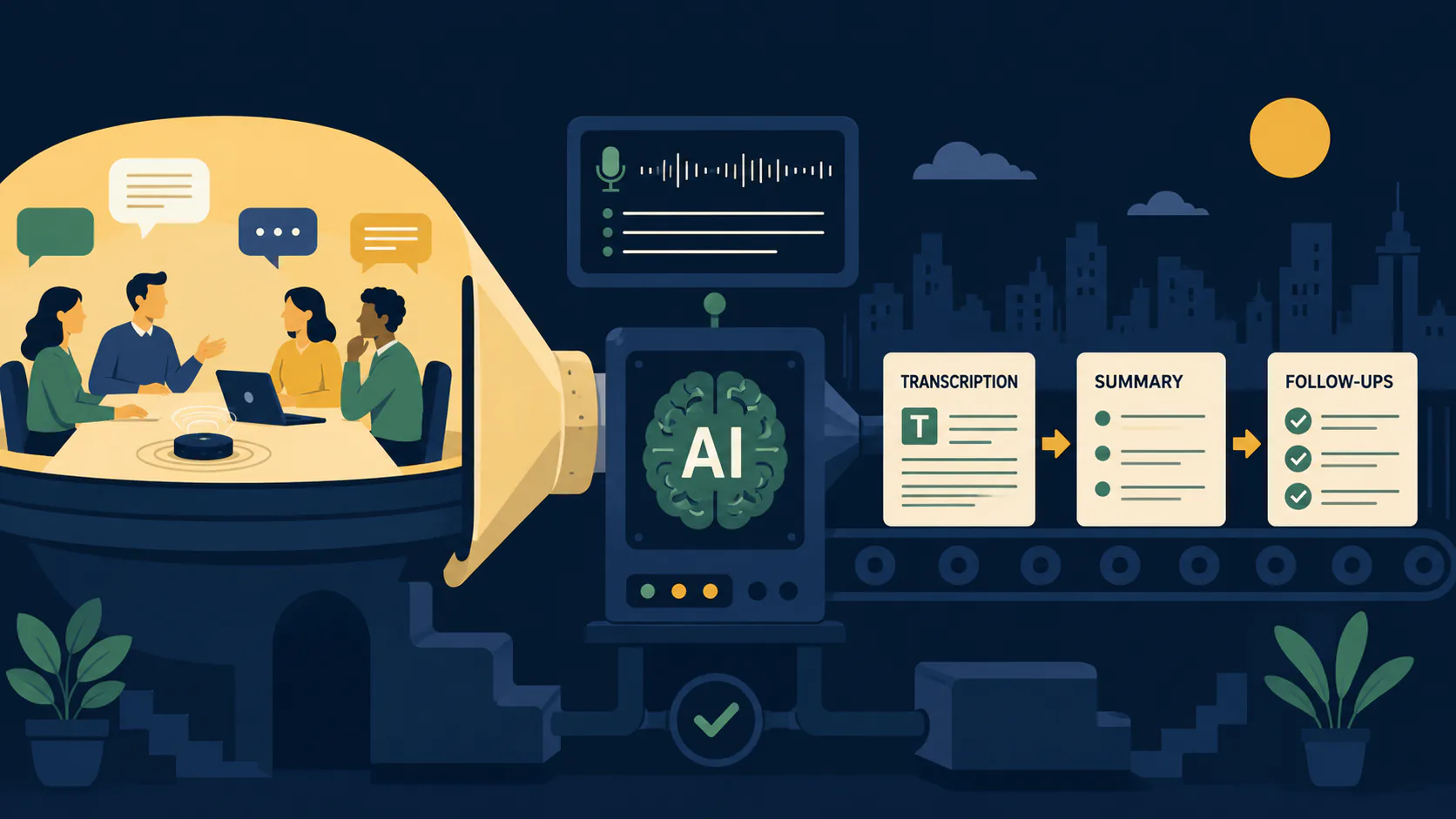
All AI meeting tools share a three-stage pipeline, but the decisions made at each stage produce very different results.
Stage 1: Audio capture. Either a bot joins the call as a visible participant (Otter.ai, Fireflies, Fathom) or the tool captures audio directly from your device without adding a participant (Granola, Jamie, Meetily). The capture method determines your privacy posture more than any other single choice.
Stage 2: Transcription and speaker identification. An automatic speech recognition (ASR) engine converts audio to text in real time. Modern ASR built on transformer architectures achieves up to 99% accuracy in clean audio, but that drops noticeably with heavy accents, overlapping speakers, or domain-specific jargon. Speaker diarization runs alongside transcription, assigning each line to the right person. Tools like Jamie learn voice signatures over time, improving attribution accuracy across repeated meetings with the same participants.
Stage 3: LLM processing. The raw transcript passes through a large language model tuned for meeting content. The LLM identifies decision language ("we agreed to..."), action item patterns ("by Friday, you'll..."), and key themes, then structures all of it into summaries, chapter breakdowns, and task lists. This is where the quality gap between tools becomes visible.
In 2026, a fourth stage has emerged for the tools worth paying attention to: agentic follow-up. The LLM output doesn't just produce a summary document. It triggers downstream actions in the tools where work actually lives.
Audio Source (Zoom / Meet / Teams / In-person)
            │
  ┌─────────┴─────────┐
  Bot Capture        Device Capture
  (visible)          (bot-free)
  └─────────┬─────────┘
            │
 ASR Engine + Speaker Diarization
            │
 LLM Summarization + Action Extraction
            │
  ┌─────────┼──────────┬──────────┐
  │         │          │          │
Summary   Tasks     CRM Update  Archive
(Slack)  (Asana)  (Salesforce) (Search)
The best AI meeting tools in 2026
Fathom: best overall free option
Fathom's free tier is the most generous in the category. You get unlimited video recordings, unlimited transcription, and AI summaries with no monthly cap and no time limit. The paid AI Team Edition (from $15/user/month, billed annually, per Fathom's pricing page) adds CRM sync, team sharing, and the AI Scorecards feature, which automatically scores sales calls against a custom rubric without a manager sitting through every recording.
The action items Fathom extracts are specific and attributed correctly more often than any other tool tested. If someone says "I'll send that deck over by Thursday," Fathom captures it as a task assigned to that speaker, not a generic note buried in a summary paragraph.
One limitation: Fathom joins as a visible bot. On Google Meet since March 2026, hosts have to manually override Meet's new "potential risk" flag before the bot can join, which creates friction on external calls.
Granola: best for heavy meeting days
Granola takes a different approach to note-taking. Instead of running entirely on its own, it captures audio from your device while you type rough notes during the call. When the meeting ends, Granola merges your shorthand with AI-filled context pulled from the full transcript, producing a summary that reads like a thoughtful human wrote it.
This matters because the hybrid model catches what pure automation misses: the context you understood in the moment but didn't say out loud. If you jot "risks" in your notes, Granola knows to pull the specific risk discussion from the transcript rather than guessing what you meant.
The free tier gives you 25 meetings lifetime. Paid plans start at around $18/month. Granola is bot-free on macOS (and now iPhone), so no participant notification is added to your call. The main complaint from users is that one-click Slack posting of summaries isn't available yet.
tl;dv: best for GDPR-compliant teams
tl;dv is built in Europe, SOC 2 certified, and explicitly does not use your meeting data to train its AI models. For teams handling client conversations under GDPR, this is not a checkbox distinction. It is the reason to choose this tool over a US-built competitor.
The free tier includes unlimited video recordings and transcripts, even when you don't attend the meeting. You can send tl;dv into calls on your behalf and receive the full summary and timestamped clips afterward, which is one of the more practical features for distributed teams across time zones.
For Google Meet specifically, tl;dv's native desktop app is now the recommended capture method. The bot path was disrupted by the March 2026 update.
Otter.ai: best for live collaboration
Otter.ai's OtterPilot joins Zoom, Google Meet, and Teams calls to transcribe in real time. The standout feature is Otter AI Chat: you can ask questions about the meeting while it's still happening, and Otter answers from the live transcript. Ask "what did we decide about the Q3 budget?" midway through a two-hour planning session and you get an answer in seconds.
Otter also now exposes an MCP server, which means AI tools like Claude and ChatGPT can query your meeting archive directly without a custom integration. If you're building AI workflows around your organization's meeting history, this is a meaningful advantage.
Free tier: 300 minutes per month. Paid plans run from approximately $8 to $17 per user per month depending on tier (check Otter.ai pricing for current limits). The bot model means all audio routes through Otter's cloud, which is a concern for sensitive discussions.
Fireflies.ai: best for sales teams and CRM-heavy workflows
Fireflies connects directly to Salesforce, HubSpot, and Pipedrive and writes meeting data back into those systems automatically after calls. For sales teams running 20+ discovery calls per week, eliminating manual CRM updates is where the real ROI lives.
Conversation intelligence features (talk-time ratios, filler word counts, sentiment by speaker) give managers objective data for coaching without listening to every call. Multilingual support is one of the strongest in the category, making Fireflies a natural fit for global sales organizations.
Free tier: 800 minutes per seat. Pro starts at around $10 per user per month, per Fireflies' pricing page. The December 2025 Illinois BIPA lawsuit (alleging illegal biometric data collection) is a legitimate concern to discuss with your legal team before deploying Fireflies for client-facing calls.
Jamie: best bot-free option
Jamie captures audio directly from your device with no call participant added. It supports over 100 languages, learns speaker voices across meetings, and produces structured summaries by topic. The MCP integration lets Jamie feed meeting context directly into Claude, ChatGPT, Cursor, and Windsurf, which is useful if your team uses AI tools for post-meeting follow-up tasks.
The free plan covers core features. Paid tiers are priced in euros, so check Jamie's pricing page for current USD equivalents. The main limitation is that Jamie has no integration into video platforms like Zoom: you're running it alongside the call, not through it.
Zoom AI Companion: best native Zoom option
If your organization runs entirely on Zoom, the AI Companion feature (included in paid Zoom plans from approximately $16.99/month) produces summaries and drafts follow-up emails without routing data through a third-party server. Zoom has zero data retention agreements with its third-party model providers, which puts its privacy posture ahead of most standalone tools.
The downside is ecosystem lock-in. AI Companion only works within Zoom. If even one regular meeting happens on Teams or Meet, you're managing two separate systems.
Microsoft Copilot for Teams: best for Microsoft 365 shops
Copilot for Teams differs from standalone tools in one important way: it has access to your entire Microsoft 365 environment during summarization. It can pull in relevant documents from SharePoint, previous email threads from Outlook, and calendar context from Exchange to produce summaries that reflect organizational knowledge, not just what was said in the call.
The cost is real: the Copilot Pro Business add-on requires an active Microsoft 365 Business subscription and adds approximately $30 per user per month on top. For large organizations already deep in the Microsoft ecosystem, the integration depth justifies the price. For everyone else, it is hard to justify.
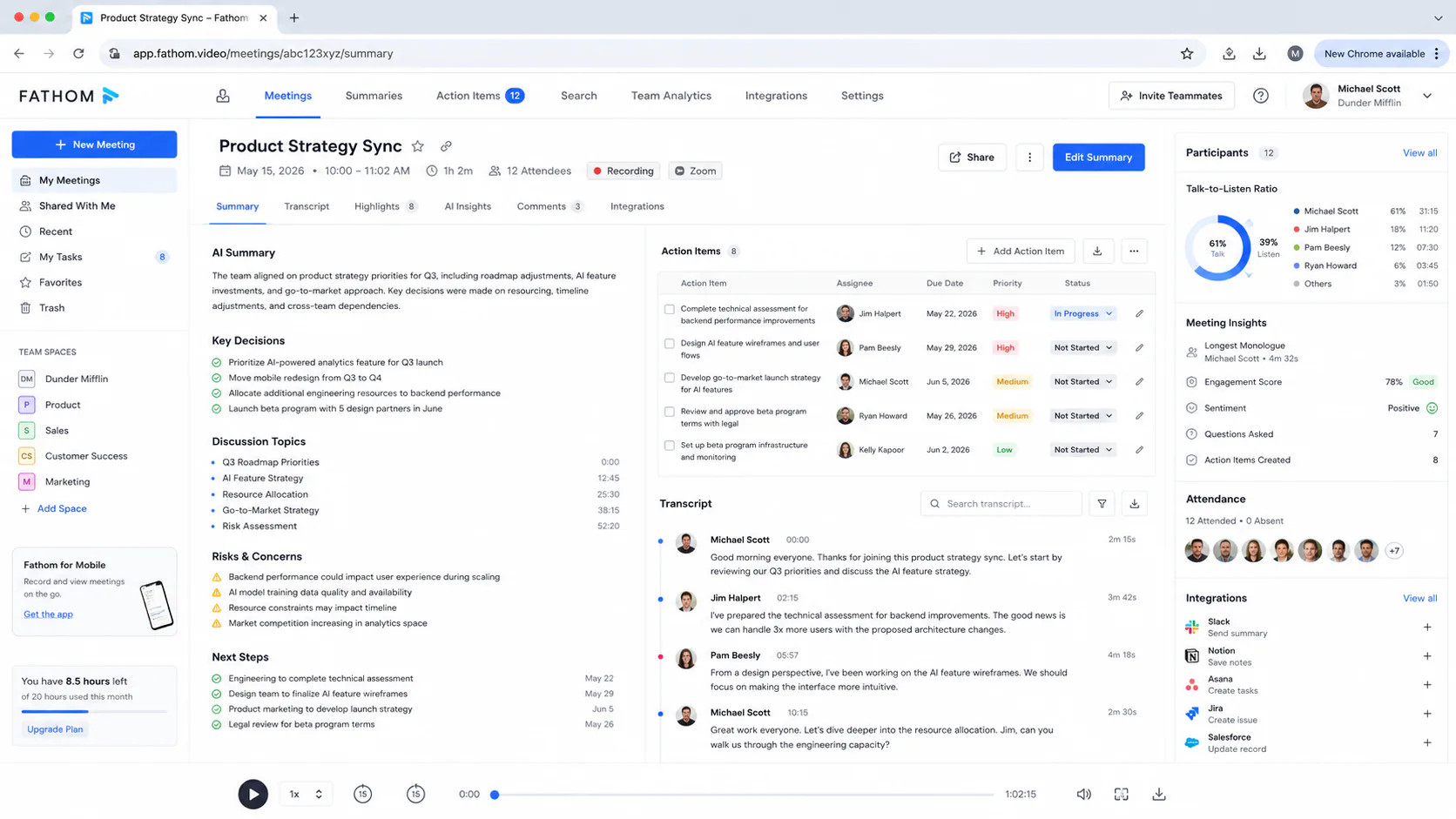
How these tools performed in real workflows
Testing ran over three weeks across Zoom and Google Meet, covering 12 meetings: four daily standups, three client discovery calls, two planning sessions over 60 minutes each, and three internal one-on-ones.
Fathom produced the most accurate action items across all meeting types. On a 75-minute product planning call with five participants, it correctly attributed eight out of nine action items to the right speaker. The one miss was a commitments made off the top of someone's head before the formal agenda started, which Fathom captured as transcript text but did not extract as a task.
Granola's hybrid approach showed its value most clearly in the client discovery calls, where the ability to jot "pricing concern" during the call and receive a summary anchored to that exact moment in the transcript saved 15 minutes of post-call review per session.
tl;dv's async features stood out in the planning sessions. Timestamped clips let one team member who missed the second session review only the 12 minutes of discussion that affected their work, rather than watching the full recording.
The weakest performance across all tools came from summary context: when technical product names or abbreviations appeared, every tool produced at least one misidentified term per meeting. Human review of AI-generated summaries before sharing remains necessary regardless of which tool you choose.
Feature and pricing comparison
| Tool | Capture | Free tier | Paid from | CRM sync | MCP support | Bot-free |
|---|---|---|---|---|---|---|
| Fathom | Bot + device | Unlimited recordings | $15/user/mo | ✓ | ✗ | Partial |
| Granola | Device | 25 meetings lifetime | ~$18/mo | ✗ | ✗ | ✓ |
| tl;dv | Bot (Meet: device) | Unlimited video + transcripts | Paid tiers | ✗ | ✗ | Partial |
| Otter.ai | Bot | 300 min/month | ~$8/user/mo | ✓ | ✓ | ✗ |
| Fireflies.ai | Bot | 800 min/seat | ~$10/user/mo | ✓ | ✗ | ✗ |
| Jamie | Device | Core features | Paid (EUR) | ✗ | ✓ | ✓ |
| Zoom AI Companion | Native (Zoom only) | With paid Zoom plan | ~$16.99/mo | ✗ | ✗ | ✓ |
| MS Copilot Teams | Native (Teams only) | Requires M365 Business | +$30/user/mo | ✓ (via M365) | ✗ | ✓ |
Pricing as of June 2026. Check each tool's official pricing page before purchasing.
Bot-free vs bot-based: what to pick
The most consequential choice in this category is not which features you want. It is where your audio goes.
Bot-based tools (Fathom, Otter.ai, Fireflies) join your call as a visible participant and route audio through their cloud servers for processing. This produces the most accurate transcripts and deepest integrations, but every conversation leaves your control the moment the bot joins. Twelve US states require all-party consent before recording, and several major institutions (Harvard University and Chapman University among them) have banned specific AI meeting tools over data handling concerns.
Bot-free tools (Granola, Jamie, Meetily) capture audio at the operating system level, keeping it on your device. They do not add a participant to the call, they do not trigger recording consent flows, and your audio never touches a third-party server. Local processing using open-weight models like Whisper has reached a point where accuracy is comparable to cloud tools for standard meeting audio.
Google Meet users: In March 2026, Google updated Meet to flag third-party notetaker bots as "potential risk" and default to denying their entry. Hosts must manually override this before a bot can join. If most of your meetings run on Google Meet, prioritize bot-free tools or platform-native options to avoid this friction on every call.
The right answer depends on your regulatory environment and who you're meeting with. For internal teams without strict data governance requirements, bot-based tools offer better features. For client-facing calls, regulated industries, or EU-based organizations, bot-free is the safer default.
Agentic follow-ups: the real differentiator in 2026
Transcription and summaries are table stakes. The tools pulling ahead in 2026 are the ones that act on what was said, not just document it.
Agentic follow-up means the meeting assistant reads the summary, identifies what needs to happen next, and writes that output directly into the systems where work gets done. Fireflies writes to Salesforce. Otter.ai creates tasks in Asana. Read AI's "Ada" agent ([email protected]) functions as a persistent executive assistant that learns your communication patterns and handles follow-ups proactively across multiple meetings.
The architecture that makes this possible is the Model Context Protocol (MCP). As of early 2026, tools like Otter.ai and Jamie expose MCP servers, which means any LLM-based workflow tool can query your meeting history with a standard interface. If you're already using Claude or ChatGPT for work, you can ask them to summarize the last five calls with a specific client, draft a follow-up email based on what was discussed, or identify recurring concerns across a quarter of sales calls, without building a custom integration.
If you're building AI-powered workflows around meeting data, check out our AI tools coverage for a broader look at the LLM and agent stack that plugs into these tools.
Gartner projects that 40% of enterprise applications will include task-specific AI agents by the end of 2026, up from under 5% in 2025. Meeting assistants are one of the clearest early examples of that shift, because meeting transcripts are already structured, timestamped, and rich with context that agents can act on immediately.
Privacy and legal risks you cannot ignore
The category has produced real legal exposure, not hypothetical risk.
Otter.ai faced a class action lawsuit for recording without proper participant consent. Fireflies.ai was sued in December 2025 for alleged biometric data collection under Illinois BIPA. Chapman University banned Read AI in August 2025 over security concerns, and Harvard University now prohibits AI meeting assistants entirely except under approved enterprise contracts.
The legal exposure centers on two issues. First, all-party consent: 12 US states require every participant's consent before a conversation can be recorded, and most AI meeting bots join and begin recording automatically without individual confirmation from each attendee. Second, secondary data use: many cloud-based tools' vendor agreements permit using conversation data to train future AI models, which creates exposure for organizations handling NDAs, attorney-client communications, or trade secrets.
White & Case LLP warned in 2026 that AI-generated transcripts retained as business records can be discovered in litigation. If your organization is in a regulated industry or handles sensitive legal or financial discussions, treat AI meeting tool selection as a security and compliance decision, not just a productivity one.
Minimum safeguards before deployment:
- Confirm the tool holds SOC 2 Type II and/or ISO 27001 certification.
- Verify the vendor will not use your data for model training (get this in writing for enterprise agreements).
- Check your jurisdiction's recording consent requirements.
- Establish a policy on which meetings can use AI assistants and which cannot.
For the highest-risk environments, Meetily (fully open-source, local Whisper processing, zero cloud upload) is the only option that eliminates third-party data exposure by design rather than by policy.
Pros and cons of AI meeting assistants
Pros
- Fathom's free tier is unlimited by both time and recordings, which means there is no reason not to run it on every call before you evaluate paid options.
- Bot-free tools like Granola and Jamie eliminate the "robot in the room" friction that makes some clients uncomfortable, while matching cloud tool accuracy for standard meeting audio.
- Agentic follow-up features (CRM sync, task creation, MCP integration) eliminate the manual admin work that consumes 30 to 40 minutes after each substantive call.
- Real-time search across months of meeting history is practically useful in ways that rewatching recordings is not.
Cons
- LLM-generated summaries hallucinate: they occasionally invent action items, misattribute statements, or miss context that was implicit rather than explicit. All outputs need human review before sharing or acting on them.
- Cloud-based tools route your conversations through third-party servers, and multiple vendors now face lawsuits over how that data is handled. "We don't use your data for training" appears in marketing copy more often than it appears in binding legal agreements.
- Google Meet's March 2026 bot restrictions have made the default bot-based workflow unreliable for Meet users, forcing a workaround on every external call.
- Integration depth varies enough that a tool that handles Asana perfectly may have a shallow HubSpot integration: evaluate your specific stack, not the feature list.
Who should use an AI meeting tool
Use one if:
- You run more than four substantive meetings per week where notes or action items matter afterward.
- Your team includes people who regularly miss meetings and need to catch up without watching a full recording.
- You're in sales or customer success and want automatic CRM updates after every call.
- You work in a distributed, async-first team where meeting documentation is a cultural requirement.
Skip it if:
- Most of your important discussions happen in writing (Slack, email, Notion) and meetings are used for quick syncs rather than decisions.
- Your work involves attorney-client privilege, protected health information, or sensitive government contracts, and your legal team has not cleared the specific tool's data handling.
- You have a small team running under five short meetings per week. Manual notes still take less time than evaluating, setting up, and maintaining one of these tools.
Is it worth it?
For most knowledge workers running more than a handful of meetings per week, yes. The best AI meeting tools in 2026 remove a specific, painful, and time-consuming category of work. Fathom in particular removes the cost barrier entirely: use the free tier for 30 days and measure whether you actually save the hours it promises.
The tools that are not worth your time are the ones that produce a long transcript and nothing else. If the output requires you to reread everything to find the action items, the tool has not solved the problem. Fathom, Granola, and Fireflies all pass this test for different use cases.
Privacy is the one area where "try it and see" is the wrong approach. Know what data leaves your systems and where it goes before your first call, not after. For a deeper look at how AI research and knowledge tools handle data, the NotebookLM 2026 review covers that trade-off in detail for source-grounded AI tools.
Frequently asked questions
Fathom offers the most generous free tier: unlimited video recordings and unlimited transcription with no monthly time cap. Tl;dv also offers unlimited recordings and transcripts on its free plan. Otter.ai and Fireflies cap free users at 300 and 800 minutes per month respectively, which is enough to evaluate the tool but not for daily use.
Yes, but with friction. Google updated Meet in March 2026 to flag third-party notetaker bots as "potential risk" and default to denying their entry. Hosts must manually override this on every affected call. Bot-free tools (Granola, Jamie) and tl;dv's native desktop capture app avoid this issue entirely by recording directly from your device.
It depends on your jurisdiction and how you use them. Twelve US states require all-party consent before recording a conversation, which means an AI bot joining a call without explicit notification from every participant may create legal liability. Always notify participants that a meeting is being recorded or transcribed. For calls with clients, external partners, or in regulated industries, check with your legal team before deploying any cloud-based meeting tool.
Bot-based tools join your call as a visible participant and route audio to cloud servers for processing. Bot-free tools capture audio directly from your device without adding a participant, keeping your data local. Bot-based tools generally offer more features and integrations. Bot-free tools offer stronger privacy, no recording consent issues, and no friction from platforms like Google Meet that now block third-party bots by default.
Some can. Fireflies.ai integrates directly with Salesforce, HubSpot, and Pipedrive and writes meeting data back into those systems after each call. Otter.ai and Microsoft Copilot for Teams both support CRM workflows, though the depth of integration varies by CRM. Granola and Jamie do not include native CRM sync but can connect through Zapier or Make for custom workflows. If CRM automation is your primary use case, Fireflies is the strongest dedicated option.