Cursor 3 Review: Parallel AI Agents & Cloud Coding (2026)
Hands-on Cursor 3 review covering parallel agents, Cloud Agents, and Design Mode. Pricing, pros and cons, and who should switch in 2026.

Bytewaves Score Card
Spending hours manually merging code and babysitting linear AI completions is the old way to build software. Most coding assistants treat you like the primary writer, but Cursor 3 flips that script entirely.
Cursor 3 is an agent-first IDE from Anysphere where you orchestrate fleets of AI instead of writing every line yourself. This review comes after weeks of daily use on a production Next.js codebase, a Python data pipeline, and an internal CLI tool - the same multi-stack setup we use for other developer tools coverage.
TL;DR: Cursor 3 moves beyond simple chat sidebars to a full Agents Window that manages up to 8 parallel AI agents. It is the best IDE for developers who want to shift from "writing code" to "reviewing agent output" - if you can budget for Pro or above.
What is Cursor 3?
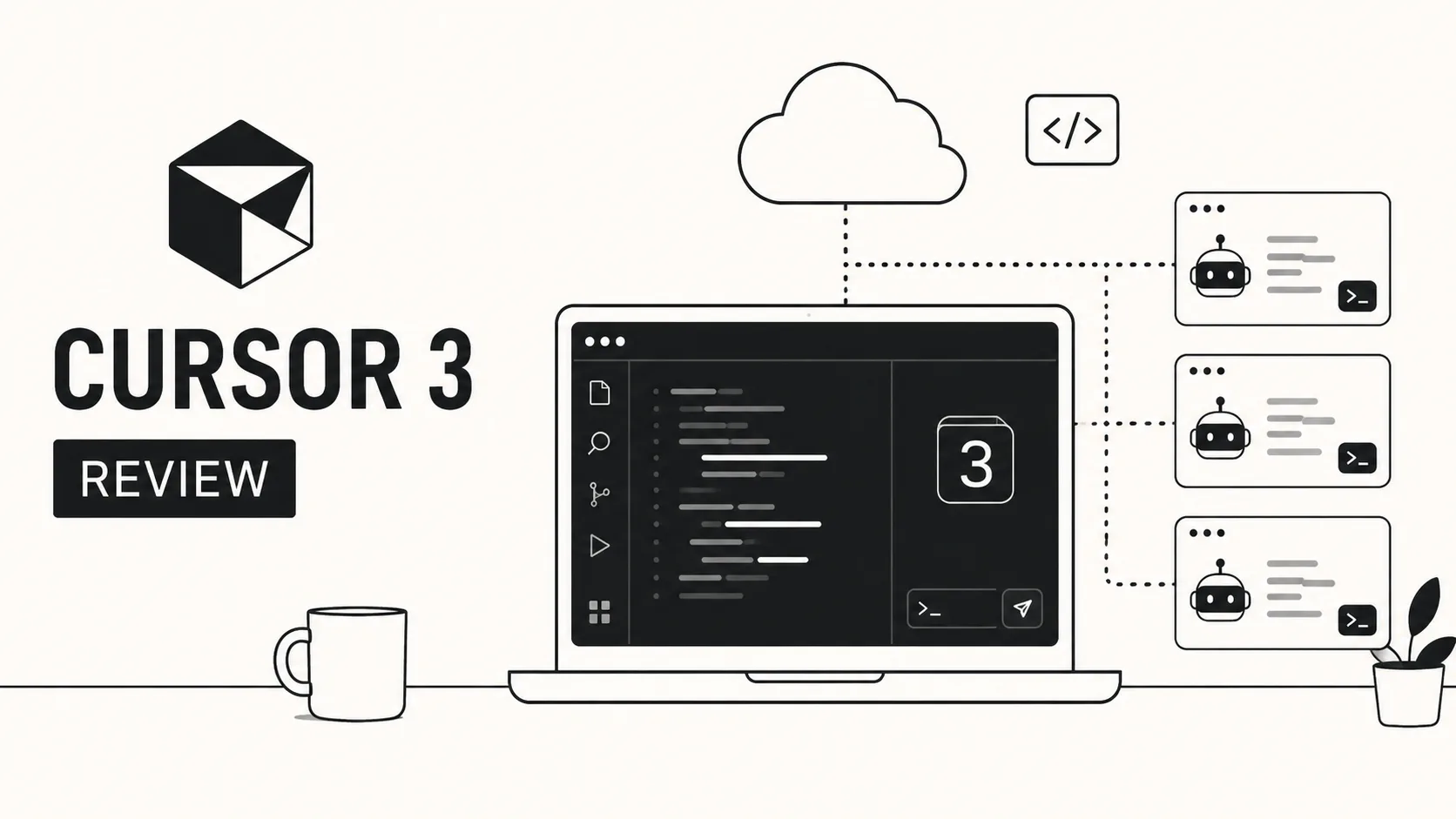
Cursor 3 is a standalone code editor (a VS Code fork) rebuilt around autonomous AI agents rather than inline completions alone. Where earlier releases added chat and Composer on top of a familiar editor, this release centers the Agents Window - a command surface for launching, supervising, and merging work from multiple agents at once.
It targets professional developers and small teams who work on large repositories and want IDE-native supervision instead of terminal-only agents. If you mainly need lightweight inline suggestions inside JetBrains or Visual Studio, GitHub Copilot may still fit better. If you want the deepest agent orchestration inside a visual editor, Cursor 3 is the category leader as of mid-2026.
The Agents Window: parallel AI agents as a command center
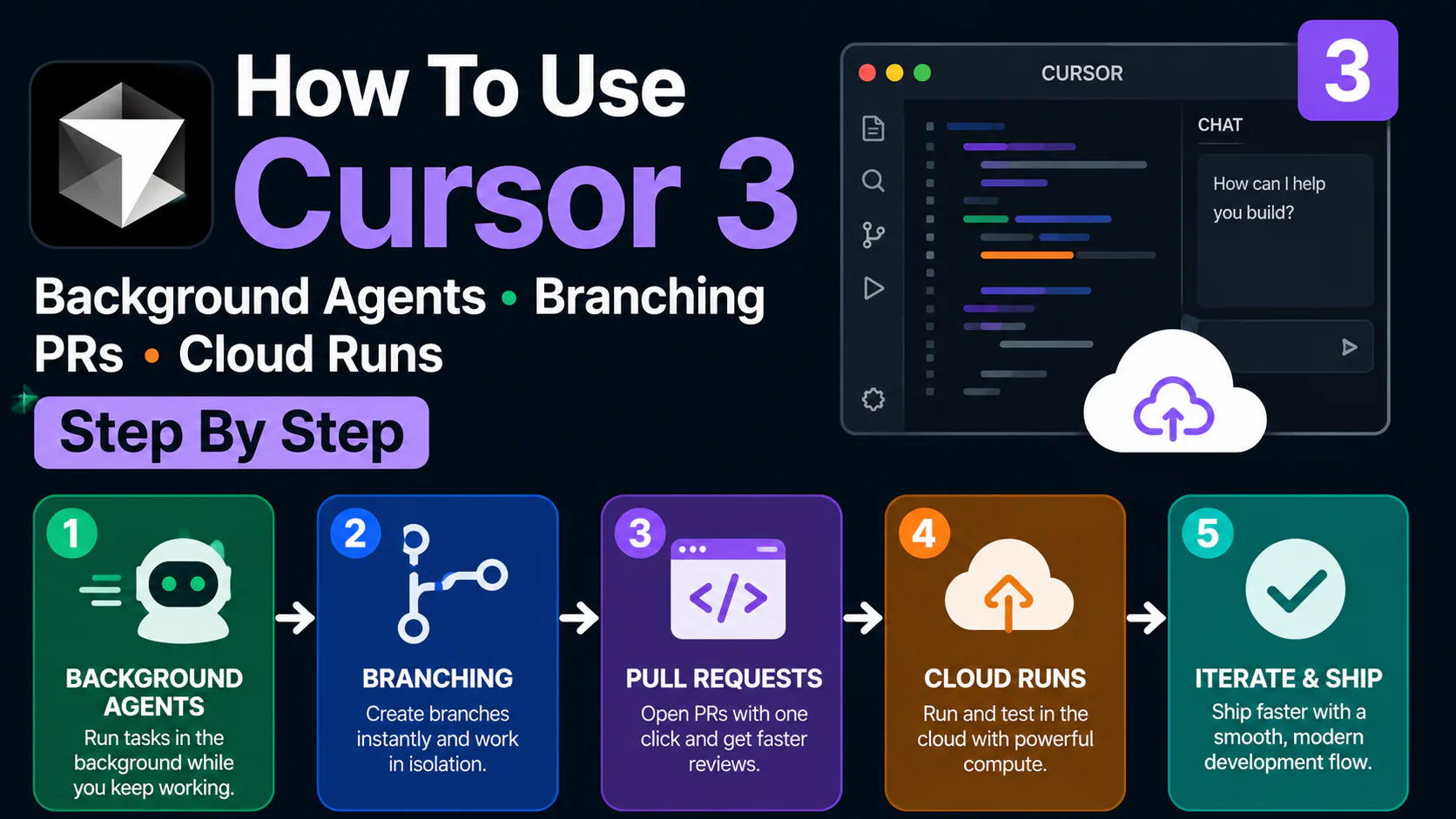
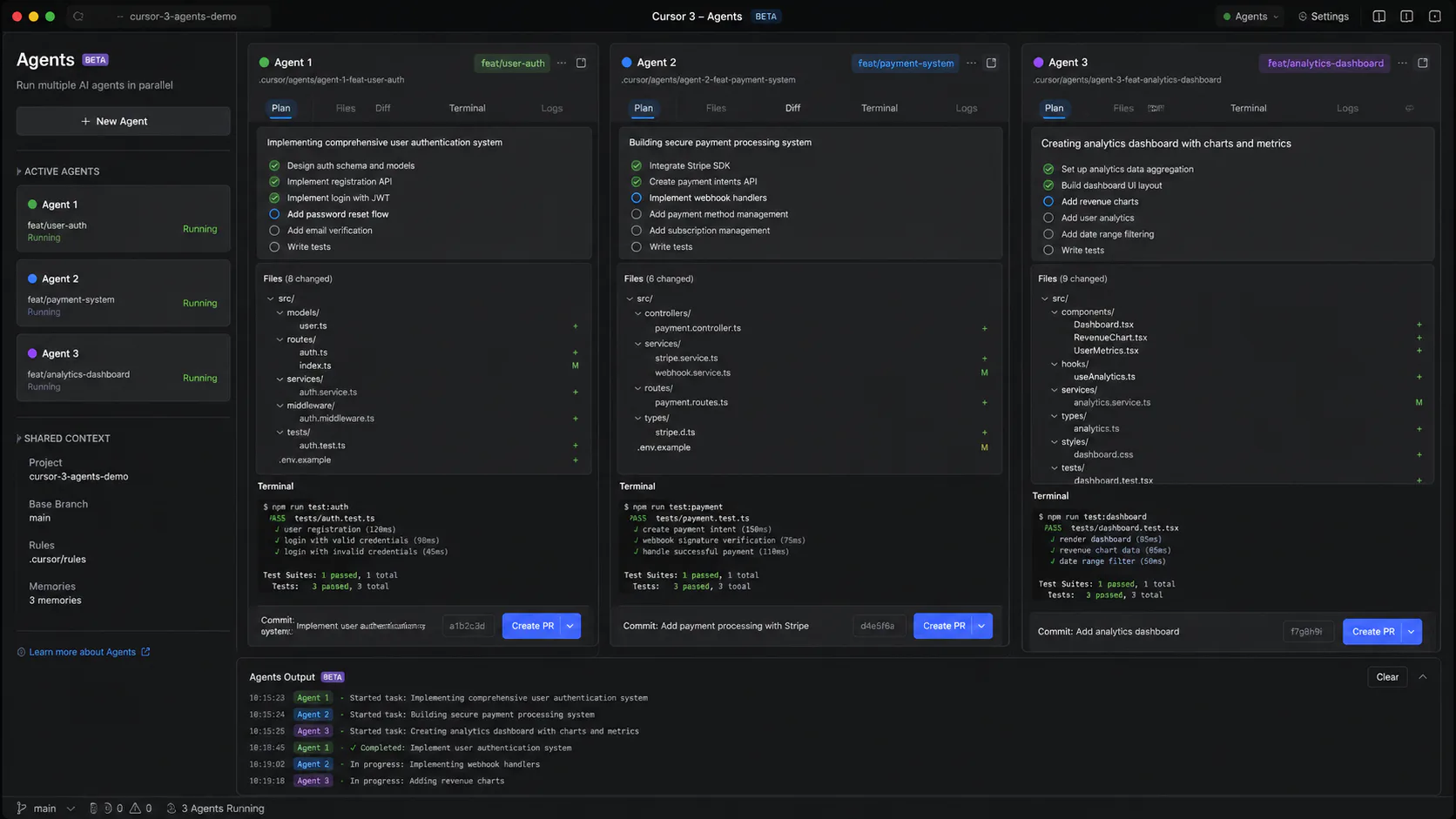
The defining feature of this release is the Agents Window, which replaces the traditional Composer pane. Instead of a single conversation, you have a workspace for launching and managing multiple AI agents simultaneously.
This architecture uses Git worktrees to isolate each agent. When you assign a task, Cursor creates a separate directory on your filesystem for that agent to work in. This prevents different AI tasks from overwriting each other or creating merge conflicts before you are ready to review them.
How parallel agents change your workflow
In older versions, you had to wait for the AI to finish one file before asking for the next. Now, you can use the /multitask command to break a complex goal into sub-agents. For example, you can have:
- One agent updating your API endpoints.
- A second agent writing the corresponding unit tests.
- A third agent updating the frontend documentation.
You supervise the progress through real-time log streaming in the sidebar, intervening only when an agent needs clarification. See the Cursor documentation for the latest agent commands and workspace settings.
Cloud Agents and remote workflow automation
Cursor 3 introduces Cloud Agents, which run on isolated virtual machines managed by Cursor. These agents have full access to a terminal and browser, allowing them to work autonomously without using your local CPU.
The most impressive aspect of Cloud Agents is their multi-surface launch capability. You can trigger an agent to fix a bug or start a feature from:
- The Cursor mobile app while you are commuting.
- A Slack message using the official integration.
- A GitHub event, such as a new pull request.
- A Linear issue card.
This effectively makes your development time non-contiguous. You can task an agent from your phone and return to your desk to find a completed branch waiting for your review. Cloud Agent usage is metered separately from your subscription - budget extra if you run long autonomous jobs on frontier models.
Design Mode: bridging UI design and code changes
For frontend developers, Design Mode is a standout innovation that eliminates the tedious back-and-forth between the browser inspector and the editor.
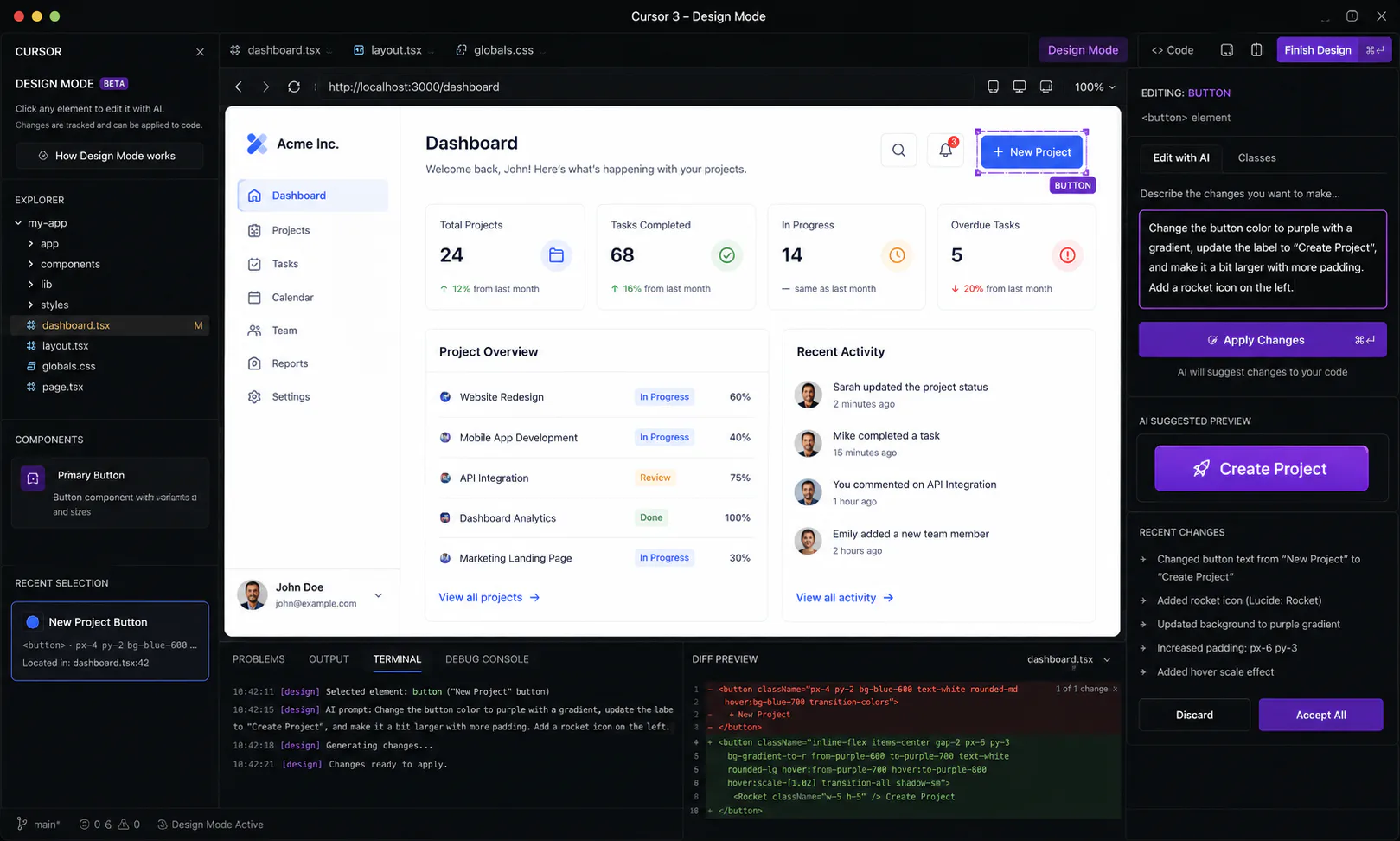
When you enable Design Mode, it overlays an interactive layer on your running application. You can click directly on any UI element and describe the change you want in natural language. The agent then finds the exact React component or CSS file responsible, makes the edit, and presents you with a diff.
This creates a visual feedback loop that feels much more intuitive than manually tracing styles through a complex directory structure.
Real-world performance: what weeks of testing showed
Our heaviest test was a feature sprint on a Next.js 15 app with roughly 40,000 lines of TypeScript. We used /multitask to split one user-facing workflow into three parallel agents: API route changes, Vitest coverage, and MDX documentation updates.
The workflow worked - but only after we capped active writing agents at two and assigned a cheaper model to the documentation-only agent. Running four frontier-model agents at once burned through the Pro credit pool in a single afternoon. With two writers plus one read-only reviewer, we merged two of three branches without manual conflict resolution and saved an estimated half-day versus serial Composer sessions.
Design Mode delivered the clearest win on its own. Click-editing a misaligned dashboard card took under five minutes including review, where the same fix previously meant hunting through nested Tailwind classes across three components.
Cloud Agents were reliable for scoped bug fixes triggered from GitHub PR events, but we would not treat them as fire-and-forget for ambiguous refactors without a detailed prompt and .cursorrules file. For broader AI coding tool comparisons, pair this review with our reviews hub at /reviews/.
Pricing - plans, credits, and parallel agent costs
Cursor uses a subscription plus usage credits model. Frontier model calls and heavy agent runs draw from your monthly pool; lighter Auto-mode tasks are more forgiving. Verify current numbers on the official pricing page before you buy - tiers change frequently.
| Plan | Monthly price (2026) | Who it fits | Parallel agent notes |
|---|---|---|---|
| Hobby (Free) | $0 | Trying Tab completions | Agent features heavily limited |
| Pro | $20/month | Solo developers, daily use | Moderate parallel agents; credit pool suits 1–2 active writers |
| Pro+ | $60/month | Heavy daily agent users | Better headroom for 3+ parallel sessions |
| Ultra | $200/month | Power users / small teams | Intended for sustained multi-agent workloads |
| Enterprise | Custom | Regulated orgs | Privacy Mode enforcement, SSO, invoicing |
What to watch: Parallel agents multiply token consumption. Pro is enough if you orchestrate deliberately - limit writing agents, use cheaper models for research-only tasks, and reserve frontier models for merges you actually review. If you routinely run four or more agents on Opus-class models, plan on Pro+ or higher.
The comparison table below uses Pro-tier pricing against GitHub Copilot Pro at $19/month. Copilot still wins on a $10/month entry tier; Cursor does not match that price point.
Cursor 3 vs GitHub Copilot: which AI editor wins?
While GitHub Copilot remains the most widely used tool due to its enterprise reach, Cursor 3 currently leads in raw agentic capability.
| Feature | Cursor 3 | GitHub Copilot |
|---|---|---|
| Parallel Agents | ✓ (Up to 8) | ✗ (Limited) |
| Cloud Agents | ✓ | ✗ |
| Codebase Indexing | ✓ (Best-in-class) | ✓ (Partial) |
| Design Mode | ✓ | ✗ |
| Pricing (Pro) | $20/month | $19/month |
| IDE Support | Standalone (VS Code fork) | All major IDEs |
GitHub Copilot is often the "safe" choice for large organizations already using the Microsoft ecosystem. However, for developers who want the most advanced AI features - like Composer 2.5 for file-tree scale refactoring - Cursor 3 is the stronger pick for agent-heavy workflows.
Pros and cons of Cursor 3
Pros
- The Agents Window makes parallel development genuinely efficient - up to eight isolated agents can run without stepping on each other's worktrees.
- Design Mode significantly speeds up frontend UI iterations by letting you click elements and describe changes in plain language.
- Cloud Agents allow you to delegate tasks from mobile, Slack, or GitHub without tying up local compute.
Cons
- Running three or more parallel writing agents on frontier models can exhaust the Pro credit pool within a single heavy session - Pro+ is the realistic tier for daily multi-agent use.
- There is a steep learning curve for managing Git worktrees and
.cursorrulesbefore parallel workflows feel natural. - It requires a constant internet connection for all core AI features - offline editing is not a realistic option.
Who it's for (and who should skip it)
Cursor 3 is for you if:
- You are a solo developer or part of a small, fast-moving team that needs to ship code at "team-scale".
- You work on large, complex codebases where codebase-wide context is critical.
- You prefer an "orchestrator" workflow where you review code rather than write it.
Cursor 3 is not for you if:
- You are on a tight budget; the $20/month Pro tier can get expensive if you need Pro+ ($60/month) for parallel agent headroom.
- You work in a highly regulated industry that requires deep audit logs, which are currently a gap in Cursor's enterprise offering.
- You prefer the standard JetBrains or Visual Studio environments and do not want to switch to a VS Code fork.
Verdict
Cursor 3 is the first IDE that feels purpose-built for the agentic age of software. The learning curve is real - worktrees, credit discipline, and prompt design all matter - but the productivity gains for refactoring and parallel feature work are substantial when you supervise agents instead of micromanaging every line.
If you already live in VS Code and want the most capable agent orchestration available in mid-2026, Cursor 3 Pro is worth the $20/month entry point. Upgrade to Pro+ when parallel agents become daily habit, not occasional experiment.
Frequently asked questions
Cursor offers a Hobby (free) tier with limited Tab completions and restricted agent access. The parallel agent features in this review require Pro at $20/month or higher. Check cursor.com/pricing for current limits.
Cap active writing agents at two, assign cheaper models to research-only tasks, and use Auto mode when frontier quality is not required. Heavy daily parallel use typically needs Pro+ ($60/month) rather than Pro alone.
Cursor is SOC 2 Type II certified. Enable Privacy Mode so your code is not stored on their servers or used to train models. Enterprise plans can enforce Privacy Mode org-wide.