OpenAI Assistants API in Next.js: Migrate Before August 2026
OpenAI's Assistants API shuts down August 26, 2026. Here's how it worked in Next.js, and a practical migration path to the Responses API.

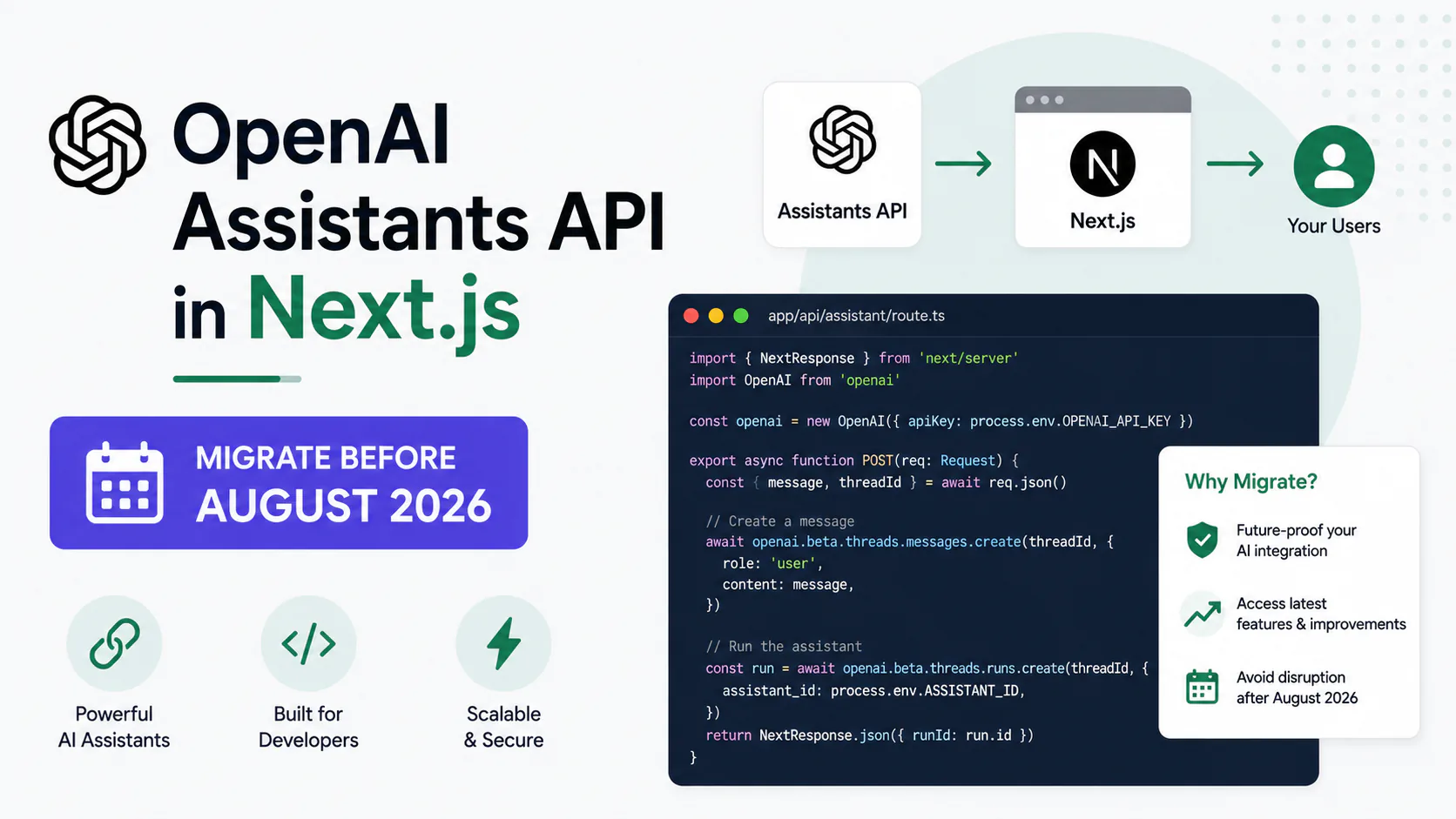
If you searched for how to add the OpenAI Assistants API to a Next.js app, you need to know one thing before anything else: that API shuts down on August 26, 2026. Every request to /v1/assistants, /v1/threads, and /v1/runs will fail outright on that date. Not slow down. Fail.
OpenAI's own documentation now says it directly: don't start a new integration on the Assistants API. This guide explains how the original integration worked, because plenty of teams still have it in production, and then walks through migrating it to the Responses API, OpenAI's supported replacement.
If you're starting a new project today, skip straight to the migration path section. If you're maintaining an existing app, read the whole thing.
The deadline is fixed. OpenAI has stated there is no extension. Azure OpenAI's Assistants API is on the same retirement date. There is no automated tool to migrate Thread history into Conversations, so any app with stored chat history needs a manual backfill plan.
What we're building
This guide covers two things in sequence: how the Assistants API pattern worked in a Next.js route handler (for context and legacy maintenance), and the practical steps to migrate that same chatbot to the Responses API plus the Conversations API.
By the end, you'll have a Next.js app that creates conversations, streams model output, handles function calling explicitly, and supports file-grounded Q&A, all running on the architecture OpenAI is actually shipping new features against.
How the Assistants API worked in Next.js
Launched at OpenAI's DevDay in November 2023, the Assistants API gave developers a stateful, tool-using assistant without managing conversation plumbing themselves. It was built around four server-managed objects.
The four core objects
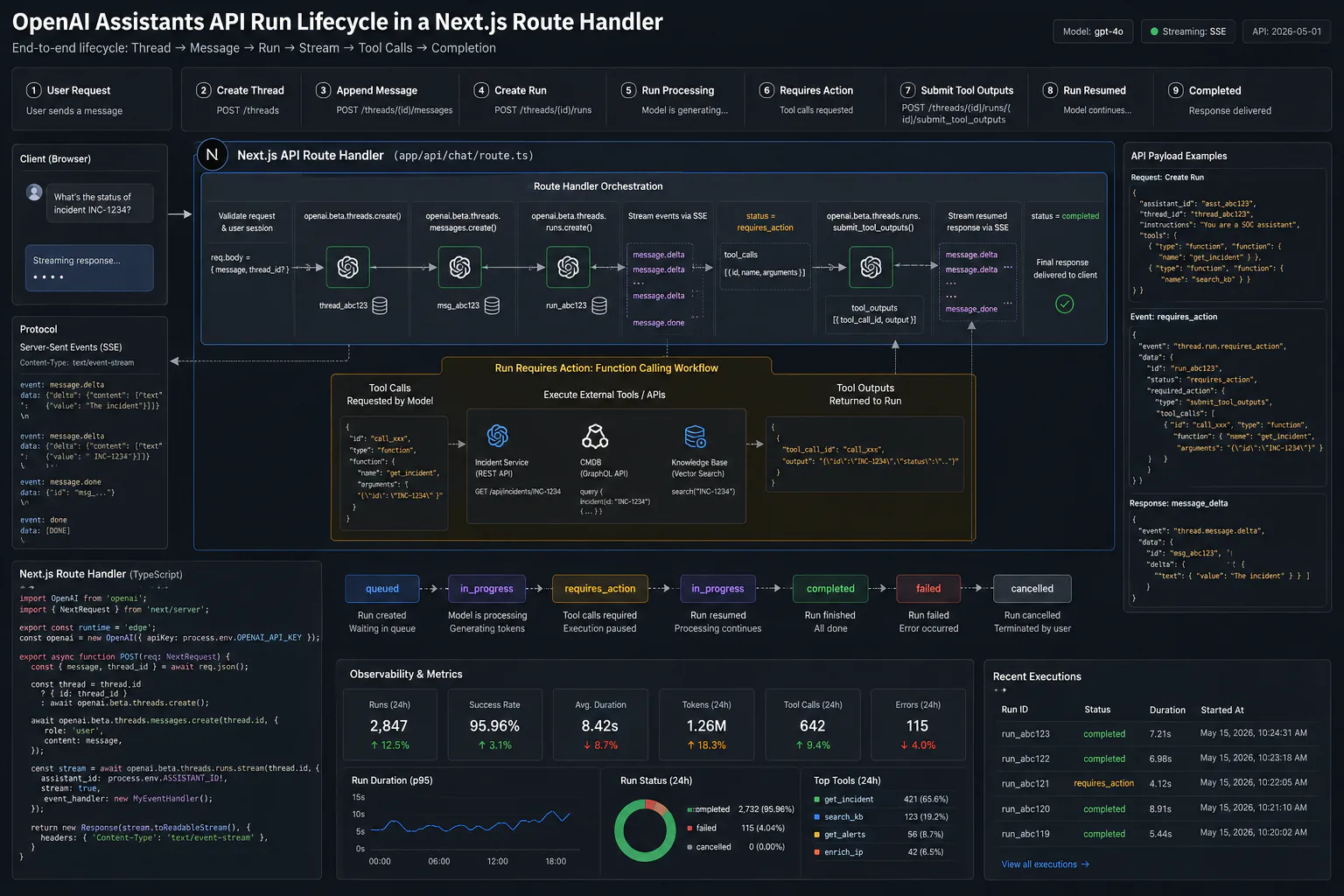
An Assistant bundled a model, system instructions, and a declared set of tools (code interpreter, file search, or custom functions). A Thread was a persistent conversation session, holding up to 100,000 messages with automatic truncation once content exceeded the model's context window. A Run was an asynchronous execution of an Assistant against a Thread, the part that required polling or event-stream handling. Messages were individual turns within a Thread, sometimes carrying annotations like file_citation for search results.
The standard route handler pattern
OpenAI's own quickstart template, still one of the most-cloned Next.js AI starters, placed three categories of route handlers under app/api/assistants/: one to create or retrieve a Thread, one to post a Message and start a streaming Run, and one to submit tool outputs back to an in-progress Run.
import { openai } from "@/lib/openai";

export async function POST(
  request: Request,
  { params }: { params: { threadId: string } }
) {
  const { content } = await request.json();

  // Add the user's message to the existing thread
  await openai.beta.threads.messages.create(params.threadId, {
    role: "user",
    content,
  });

  // Start a streaming run against the thread
  const stream = openai.beta.threads.runs.stream(params.threadId, {
    assistant_id: process.env.OPENAI_ASSISTANT_ID!,
  });

  return new Response(stream.toReadableStream());
}
The client listened for lifecycle events like thread.message.delta for incremental text and thread.run.requires_action when the Assistant paused mid-run to request a function call's result. That async lifecycle, asking the client to track run status and resubmit tool outputs into an in-progress run, was the single biggest source of implementation bugs in Next.js specifically, especially inside serverless or edge Route Handlers with their own execution-time limits.
Why this pattern is going away
Two things killed the Assistants API's future. First, it never left beta in over two and a half years; OpenAI's deep-dive docs now actively discourage new adoption rather than just labeling it legacy. Second, OpenAI's newer reasoning models (the GPT-5 family and beyond) need to preserve internal reasoning state between turns without exposing it to the client, something the Run/Thread model was never designed to support. Every new model ships against the Responses API exclusively.
Migrating to the Responses API
The Responses API replaces the asynchronous Run process with one synchronous-by-default primitive: send input items, get output items back. Conceptually, Assistants map to your own application code, Threads map to Conversations, and Runs map to Responses.
Assistants API (deprecated)          Responses API (current)
Assistant ─ model + tools            Application code ─ model + tools
│                                    │
Thread ─ stateful, default            Conversation ─ stateful, opt-in
│                                    │
Run ─ async, polled or streamed       Response ─ synchronous by default
│                                    │
Message + annotations                  Output items
The shift from implicit state to explicit state is deliberate. Responses are stateless unless you opt in via the separate Conversations API, which gives a Next.js team direct control over latency, retries, and error handling instead of depending on an internal Run state machine.
Create a conversation instead of a thread
The Conversations API replaces Threads. Where you previously called
openai.beta.threads.create(), you now create a Conversation object that the Responses API references on each call.app/api/conversations/route.tstypescriptimport { openai } from "@/lib/openai"; export async function POST() { const conversation = await openai.conversations.create({}); return Response.json({ conversationId: conversation.id }); }Store
conversation.idthe same way you storedthread.idbefore, typically in your database against a user or session record.Replace the Run with a Response call
This is the core of the migration. Instead of creating a Message, then a Run, then polling or streaming for completion, you make one call that returns output directly.
app/api/conversations/[id]/respond/route.tstypescriptimport { openai } from "@/lib/openai"; export async function POST( request: Request, { params }: { params: { id: string } } ) { const { input } = await request.json(); const response = await openai.responses.create({ model: "gpt-5.4", conversation: params.id, input, stream: true, }); return new Response(response.toReadableStream()); }Note what disappeared: no polling loop, no
requires_actionstatus check, no separate call to submit run output. The tool-calling loop still exists, but you write it explicitly rather than reacting to an opaque state machine.Migrate file search to the new tool configuration
File search still runs on the same underlying vector stores. Instead of attaching files to a persistent Assistant object, you pass
vector_store_idsdirectly into the tool configuration on eachresponses.create()call.File search tool configurationtypescriptconst response = await openai.responses.create({ model: "gpt-5.4", conversation: conversationId, input: userMessage, tools: [ { type: "file_search", vector_store_ids: [process.env.VECTOR_STORE_ID!], }, ], });Your retrieval infrastructure survives the migration intact. What you're rebuilding is state management and conversation continuity, not the underlying vector search.
Rebuild function calling without requires_action
Function calling keeps a similar shape, a
toolsarray describing callable functions, but you now handle the loop yourself instead of detecting arequires_actionRun status.Explicit tool-calling looptypescriptlet response = await openai.responses.create({ model: "gpt-5.4", conversation: conversationId, input: userMessage, tools: [orderStatusTool], }); for (const item of response.output) { if (item.type === "function_call") { const result = await callOrderStatusApi(item.arguments); // Submit the tool result and continue the conversation response = await openai.responses.create({ model: "gpt-5.4", conversation: conversationId, input: [{ type: "function_call_output", call_id: item.call_id, output: result }], }); } }It's more code than the Assistants API required. It's also code you can read, test, and debug without guessing at OpenAI's internal Run-state behavior in edge cases.
Backfill or migrate existing Thread history
OpenAI will not provide an automated tool to move Threads into Conversations. If your app surfaces historical chat threads, support transcripts, tutoring sessions, or document Q&A history, you need an explicit plan: write new conversations going forward through the Conversations API, and backfill old Thread content manually for users who need continuity.
Tip: Prioritize backfilling threads tied to active or high-value users first. A full backfill of every historical thread is rarely necessary before the cutoff.
Choosing your migration target
The Responses API isn't the only landing spot. For a Next.js-specific audience, three other paths are realistic depending on what your app actually needs.
When to stay on OpenAI's official path
Stick with Responses plus Conversations when your app depends on OpenAI-specific frontier features that aren't replicated elsewhere yet, including native MCP tool calling to remote MCP servers (see our guide to setting up MCP servers if you're adding this), computer-use agents, and the dedicated deep-research model variants.
When to add the Vercel AI SDK instead
If the priority is a fast, low-boilerplate Next.js chat UI with the option to swap model providers later without rewriting your streaming and tool-calling logic, the Vercel AI SDK fits better. One 2026 survey found 62% of newly started TypeScript AI projects chose it as their starting framework, and adoption data shows the ai package pulling roughly 14.2 million weekly downloads against roughly 2.4 million for langchain as of early June 2026.
When LangChain.js earns its weight
Choose LangChain.js or a dedicated agent framework when your Next.js app is really a thin frontend over a more complex backend agent system: multi-step retrieval-augmented generation, multi-agent collaboration, or durable long-running workflows where the orchestration is the actual product. The trade-off is a heavier bundle (around 101 kB gzipped) that blocks edge-runtime deployment.
Migration path comparison
| Path | Best for | Trade-off |
|---|---|---|
| Responses + Conversations API | OpenAI-specific features (MCP, computer use, deep research) | Still single-vendor, explicit state management required |
| Vercel AI SDK | Fast Next.js chat UI, provider flexibility | Edge-runtime requirement limits complex RAG pipelines |
| LangChain.js / LangGraph | Complex agents, multi-step RAG | Heavier bundle, no edge runtime, steeper learning curve |
| Wire-compatible bridge | Buying time without an immediate rewrite | Adds a dependency, doesn't remove the long-term decision |
Troubleshooting common migration errors
Tool calls silently stop working mid-conversation. This usually means your code is still checking for a requires_action Run status that no longer exists. The Responses API returns function_call items directly in the output array; check response.output for item.type === "function_call" instead.
Conversation history disappears after migration. If users report lost context, confirm you're passing the conversation parameter on every responses.create() call. Responses are stateless by default; without an explicit conversation reference, each call starts fresh.
File search returns no results after switching from Assistants. Verify vector_store_ids is set correctly in the tools array. The vector stores themselves persist through migration, but the old Assistant-level attachment doesn't carry over automatically.
Streaming breaks in a serverless Route Handler. The same execution-time constraints that affected Assistants API streaming still apply. If responses are cutting off, check your Next.js deployment's function timeout settings before assuming the API call itself is at fault.
What to do next
Inventory every Assistant, Thread, and File Search index currently in production before writing any migration code. Prototype the Responses and Conversations migration on your lowest-risk assistant first, then move production traffic gradually with feature flags or a per-tenant cutover, keeping the old endpoints live with dual-writing for a rollback window of at least several weeks.
For a simple chatbot wrapper, budget one to four engineering weeks. For a multi-tenant production system with stored Thread history and complex tool orchestration across customers, budget months, not days. That gap is exactly where teams get caught off guard, because earlier OpenAI model retirements were comparatively trivial string changes handled in an afternoon. This one isn't that.
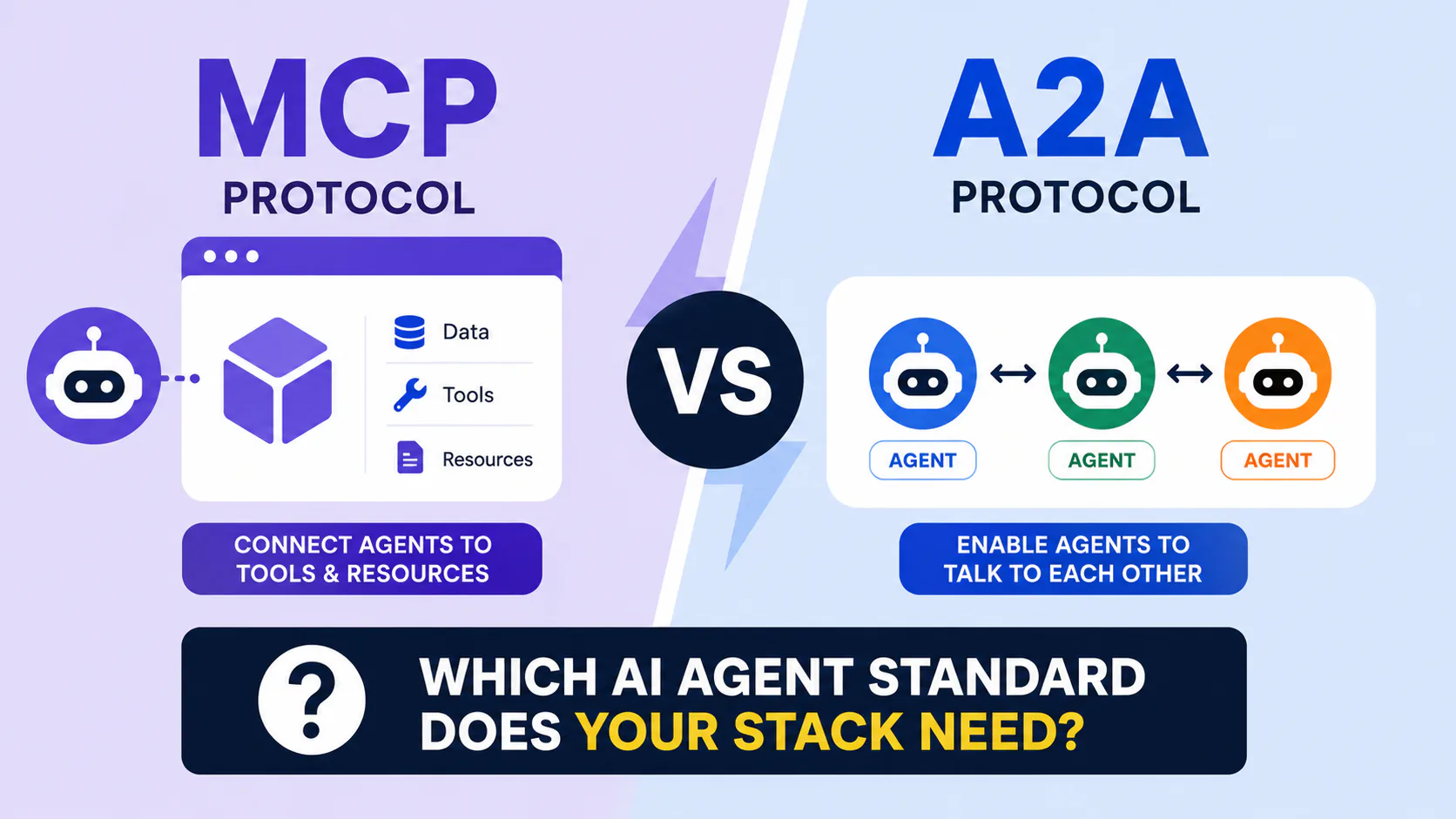
If your migration also touches agent-to-tool connectivity, our MCP vs A2A protocol comparison is worth reading before you commit to a specific tool-calling architecture, since the Responses API's native MCP support is one of the clearer reasons to migrate there directly rather than through a third-party framework.
Frequently asked questions
August 26, 2026. OpenAI announced the deprecation on August 26, 2025, with a fixed one-year sunset
and no extension option. Requests to /v1/assistants, /v1/threads, and /v1/runs will fail
completely after that date.
No. OpenAI is not providing automated migration tooling for Threads into Conversations. Any app that needs historical chat continuity requires a manual backfill plan before the cutoff.
Yes. Earlier guidance suggested Azure OpenAI was unaffected, but that has changed. Azure OpenAI's Assistants API retires on the same August 26, 2026 date, with Microsoft recommending migration to the Foundry Agent Service.
It depends on what you need. Stay on Responses if you need OpenAI-specific features like native MCP tool calling or computer use. Choose the Vercel AI SDK if you want a low-boilerplate Next.js chat UI with the option to swap model providers later.
A simple chatbot wrapper takes roughly one to four engineering weeks. A multi-tenant production system with stored conversation history and custom tool orchestration per customer realistically takes months, not weeks.